New TV Mounting With Cable Concealment in Houston: 7 Checks Before Delivery
Buying a new screen during the fall sale cycle is exciting, but the mounting decisions belong in the purchase plan. If you are planning TV mounting with cable concealment Houston, the exact model, bracket, wall, power location, connected devices, and cable path can all affect whether the finished setup is practical and clean.
RTINGS explains that TVs are usually close to their lowest prices by Black Friday and that special holiday model codes often appear by mid-October. Before checkout, use the seven checks below to make the installation plan match the TV you are actually buying.
Why the TV purchase and mounting plan belong together
A television’s diagonal size does not tell the whole story. Two TVs with the same advertised size can have different outer dimensions, weights, mounting-hole patterns, port locations, and stand designs. Those details affect bracket compatibility, the final height, access to HDMI ports, and the cable route behind or below the screen.
AtoZ Local’s Houston-area TV mounting service covers standard TV mounting, compatible bracket options, soundbar mounting, and wire-concealment options. Specialty walls, fireplaces, high placements, very large TVs, and projects that need electrical changes require additional review.
7 checks before the new TV arrives
1. Save the exact model number—not only the screen size
Keep the complete model number from the product page or order confirmation. Then review the manufacturer’s manual for the TV’s weight, overall width and height, mounting-hole pattern, required screw size, and any special spacer instructions.
Samsung’s current wall-mount guidance is a useful example: it tells buyers to match a VESA-compliant mount to the TV’s size and to consult the model-specific manual. The same principle applies across brands—use the manual for the exact model rather than assuming all screens of one size mount the same way.
2. Match the bracket to the TV and the way the room is used
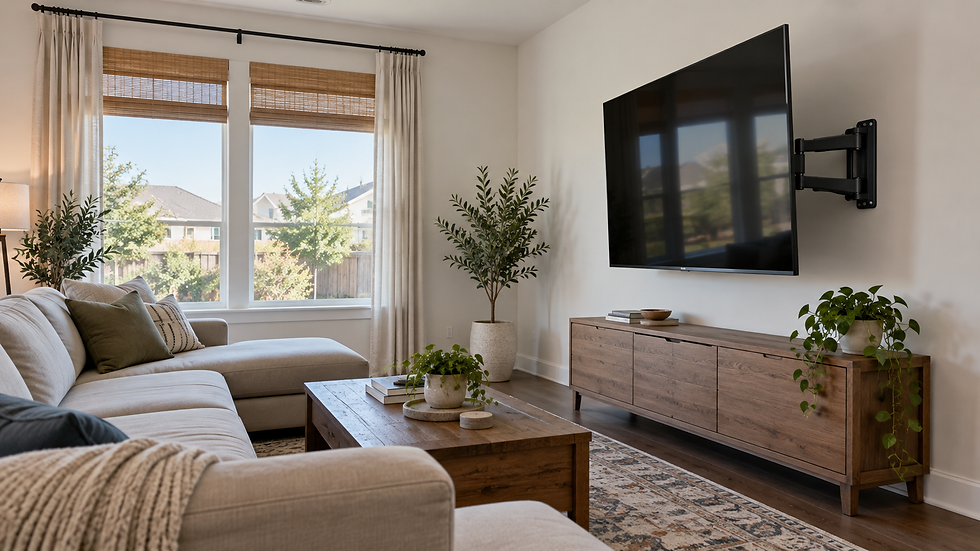
A fixed bracket keeps the screen close to the wall. A tilt bracket can help when the TV needs to sit a little higher. A full-motion bracket adds side-to-side adjustment but also needs room for the arms, cables, plugs, and the TV to move without pinching anything.
Check the bracket’s TV-size range, weight rating, VESA pattern, hardware, and wall-surface requirements. If you already own a bracket, photograph its label and hardware so compatibility can be reviewed before the visit.
3. Identify the wall material and likely support
Standard painted drywall is not the same project as brick, stone, tile, plaster, or a fireplace wall. Wall material affects drilling, anchors, bracket placement, cable access, and the amount of time needed. A photo of the full wall plus a closer photo of outlets, trim, and surface details gives the installer a better starting point.
Do not assume a desired centerline can always be used without adjustment. The final bracket position has to work with the TV, the wall support, and the installation conditions found on site.
4. Decide viewing height before delivery day
Sit where the TV will usually be watched and mark the preferred screen center with removable painter’s tape. Check the mark against the media console, soundbar, windows, shelves, doors, and any furniture that will remain below the TV.
If a soundbar will be mounted, include its model and dimensions in the plan. The TV, bracket, soundbar, and device connections need enough clearance to work together.
5. Locate power without planning an unsafe shortcut
Photograph the nearest outlet and note whether it will remain accessible after the TV is mounted. A loose TV power cord or ordinary extension cord should not be pushed through the wall.
Electrical Safety Foundation International guidance says extension cords are temporary solutions, should not replace permanent wiring, and should not be run through walls, ceilings, floors, or doorways. If the plan needs a recessed outlet, new outlet, power relocation, or electrical correction, that work requires a separate estimate and the appropriate licensed electrical professional.
6. List every device that must connect to the TV
Write down the devices that will stay in the setup: soundbar, streaming box, game console, cable box, antenna, Ethernet connection, or other media equipment. Confirm which side of the TV holds the ports and where the devices will sit.
Cable length and plug clearance matter more on a full-motion mount because the screen moves. The route also needs enough service slack without leaving loops hanging below the TV or putting strain on connectors.
7. Choose a realistic cable-concealment path
A surface raceway keeps cables outside the wall and can be a practical choice for simple setups, rentals, or walls that are not suitable for in-wall routing. In-wall low-voltage routing or a compatible power-bridge plan depends on wall access, power location, and what may be hidden in the wall. Review AtoZ Local’s TV wire-concealment options before choosing a finish.
For a side-by-side explanation of the two approaches, see AtoZ Local’s guide to in-wall TV wire concealment versus surface raceways. Brick, stone, tile, fireplaces, exterior walls, blocking, plumbing, electrical lines, or other hidden obstacles can limit what is possible.

When a custom estimate is the right next step
Request an estimate instead of selecting a standard appointment when the project includes any of the following:
Fireplace mounting or a brick, stone, tile, plaster, or other specialty surface.
A high-wall placement, unusual access, or a wall where the cable path is uncertain.
An 86–100-inch TV, which AtoZ Local lists as a two-technician service.
Wire concealment that depends on in-wall access, a power-bridge plan, or device organization.
A new outlet, recessed outlet, power relocation, unsafe wiring, or other electrical correction.
A soundbar, multiple devices, or a bracket whose compatibility is not yet confirmed.
The live TV mounting service page and wire-concealment service page explain the current standard and estimate-only project types.
What to send with your Houston-area request
The TV brand and full model number, plus the advertised screen size.
A straight-on photo of the full wall and a side-angle photo showing nearby outlets.
The wall material, if known, and whether the location is above a fireplace.
The bracket brand and model, or a photo of its label and hardware.
The preferred screen-center height and the height of any console or furniture below.
A list of every connected device and where each device will be stored.
Your preferred wire finish: visible but organized, surface raceway, or an in-wall option if the wall allows it.
Photos or notes about stairs, narrow access, or other handling conditions for a very large TV.
Sending these details early does not replace the on-site check, but it makes the initial recommendation and estimate more specific.
Plan the installation before the delivery box is opened
The best time to solve bracket, height, power, and cable-path questions is before the TV is lifted onto the wall. That planning reduces last-minute compromises and helps the finished setup look intentional.
For TV mounting with cable concealment in Houston, West Houston, Memorial, the Energy Corridor, Katy, Sugar Land, Richmond, Cypress, Fulshear, Missouri City, and nearby areas, request a TV mounting estimate from AtoZ Local with the model number and wall photos.
Frequently asked questions
Can a TV power cord be hidden inside the wall?
A loose TV power cord or ordinary extension cord should not be run inside a wall. If the desired setup needs hidden power, a recessed outlet, a new outlet, or power relocation, request an estimate so the electrical portion can be reviewed for the appropriate licensed professional.
Can every Houston home use in-wall cable concealment?
No. In-wall routing depends on the wall material, access, power location, cable path, and hidden conditions. Surface raceway may be the cleaner practical choice for some apartments, exterior walls, fireplace surfaces, or walls with blocking or other obstacles.
Do I need to buy a TV bracket before the appointment?
You may provide your own compatible bracket, or AtoZ Local can supply a fixed, tilt, or full-motion option based on the TV size, wall type, and installation needs. If you buy one, keep the model number and all included hardware.
Is cable concealment included in standard TV mounting?
No. AtoZ Local lists wire concealment as an optional add-on. The available method and estimate depend on wall access, the cable path, connected devices, and existing power.
Sources and editorial note
This article was prepared from AtoZ Local’s current service pages and the supporting references below. Service scope and project conditions can change, so confirm the live service details for the specific TV, wall, and cable plan before scheduling.
AtoZ Local — TV Mounting Services in Houston and nearby areas (service scope, size bands, bracket options, and estimate-only conditions).
AtoZ Local — TV Wire Concealment in Houston (surface raceway, low-voltage routing, power planning, and wall limitations).
Samsung — Things to consider before mounting a TV to a wall (VESA compatibility and model-specific manual guidance).
Electrical Safety Foundation International — Extension Cord Safety Tips (extension cords are temporary and should not run through walls).
RTINGS — When To Buy a TV (seasonal TV pricing and mid-October holiday model timing).