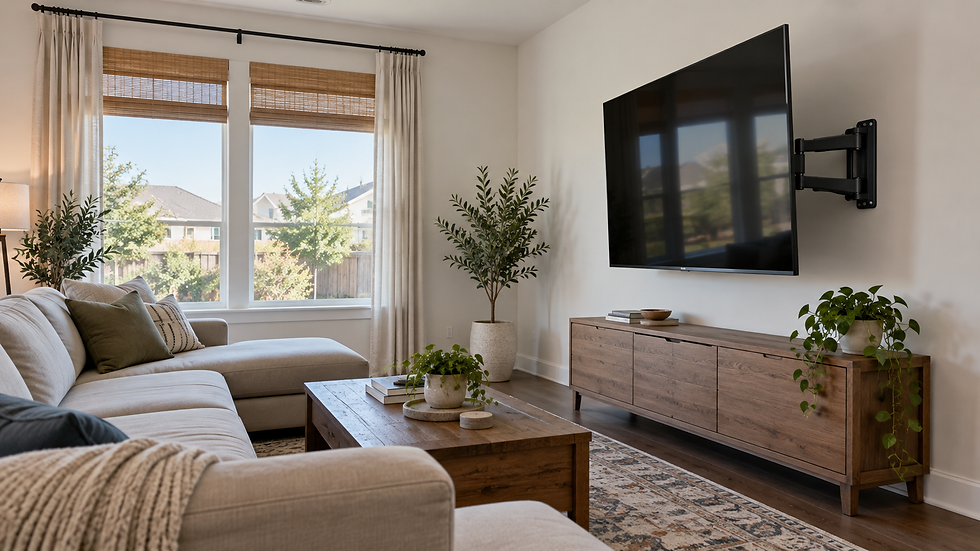
Home Theater Installation in Houston: TV, Soundbar & Cable Planning FAQs

Updated: Sep 26
Home theater installation in Houston works best when the television, soundbar, devices, power, and cable route are planned as one system before any holes are drilled. A screen can be securely mounted and still feel awkward if the soundbar blocks the picture, the bracket covers a cable port, or the console is too far from the planned wire path.
This guide focuses on the parts AtoZ Local currently verifies on its live TV mounting service page: secure TV mounting, bracket selection, soundbar mounting, basic entertainment-device organization, and suitable wire-concealment options. Full multi-speaker systems, projectors, electrical changes, specialty surfaces, and other custom scopes should be reviewed before scheduling.
The short answer: plan in this order
A coordinated setup usually starts with the room and the main seated viewing position—not with the wall bracket. Work through these decisions in order:
Confirm the primary seating position and a comfortable TV height.
Check the wall material, framing, TV size, weight, and VESA pattern.
Choose a fixed, tilting, or full-motion bracket that fits the room and the TV.
Reserve space and hardware for the soundbar before finalizing the TV position.
List every source device, cable, outlet, network connection, and control.
Choose an accessible cable-management or wire-concealment method before mounting.

1. Start with the TV, seating, and wall
Choose the viewing position before the mounting height
The best height depends on screen size, seating distance, seated eye level, furniture, and the way the room is used. A family room with a low sofa may need a different screen position than a multipurpose room where viewers often sit farther away. Mark the proposed screen outline with painter’s tape and view it from the seats before approving the bracket height.
For a deeper room-by-room comparison, use AtoZ Local’s TV mounting height guide before the installation date.
Match the bracket to the TV and the way you watch
A fixed mount keeps the screen close to the wall. A tilting mount can help when the TV must sit somewhat higher. A full-motion mount adds reach and side-to-side movement, but it also needs more clearance, carefully planned cable slack, and a wall and attachment plan suitable for the changing load. Compatibility depends on the TV’s size, weight, VESA pattern, wall type, and the bracket’s published limits.
If you are comparing scope and starting prices, review the current Houston TV mounting cost guide. The live service page remains the source of truth for current AtoZ pricing and booking conditions.
2. Plan the soundbar with the screen—not after it
The soundbar should be centered with the television and should not cover the bottom edge of the display, the TV’s controls, or an infrared receiver. Its mounting hardware must fit the chosen arrangement. Some soundbars mount to the wall; others can attach through compatible TV-mount hardware so they move with a full-motion screen.
Audio also depends on the listener’s position and the product’s own instructions. Dolby’s official speaker-setup guidance emphasizes room considerations and speaker position. For a soundbar-only project, send both the TV and soundbar model numbers so mounting clearances and connection needs can be reviewed together.
3. Inventory every device and connection
Write down each device that will connect to the television or soundbar: streaming box, game console, cable or satellite receiver, Blu-ray player, network equipment, and any other component. For each item, record where it will live, which cable it uses, and whether it needs direct access for ventilation, controls, discs, or future service.
TV brand, model number, size, and approximate weight
Soundbar brand, model, and mounting hardware
Bracket brand and model, if you already own one
Every HDMI, optical, Ethernet, antenna, and power connection
Preferred device location: console, shelf, cabinet, or behind the TV
Wall photos plus the outlet, console, and seating locations
Test the TV, soundbar, remote controls, and source devices before the final installation. Confirm that every required cable is long enough for the planned path—especially when a full-motion mount must extend and swivel.

4. Separate cable appearance from electrical scope
Cable management can mean several different things: organizing cords inside a console, using a surface raceway, routing suitable low-voltage cables through an eligible wall cavity, or adding a compliant power solution. Those are not interchangeable projects.
AtoZ Local’s wire-concealment service page explains that availability depends on the wall, outlet location, fireplace or specialty surface, and hidden obstacles. Tile, brick, stone, exterior walls, and walls containing blocking, plumbing, or electrical components can require a different plan.
Do not treat new wiring, a relocated outlet, or an electrical correction as ordinary cable cleanup. The Texas Department of Licensing and Regulation electrical compliance guide defines regulated electrical work and directs readers to the applicable code and local licensing or inspecting authority for installation requirements. If electrical work may be involved, describe it in the estimate request instead of assuming it is included.
5. Decide whether to book or request an estimate
Online booking can fit a standard TV-mounting appointment
Use AtoZ Local’s online booking options when the project matches a listed standard service and the wall, height, TV size, bracket, and requested add-ons fit the published conditions.
Request an estimate for a coordinated or uncertain setup
A home-theater planning project should be estimated when it combines several components, has an uncertain wall or cable route, includes a fireplace or specialty surface, uses an oversized television, places equipment far from the screen, or may require work beyond the listed standard service. Photos and exact model numbers help define the scope before pricing is confirmed.
Houston-area home theater planning checklist
Before contacting AtoZ Local, gather the information below. It helps separate a straightforward appointment from a custom project and reduces last-minute surprises.
One wide photo of the full wall, including the floor and ceiling
A second photo showing the nearest outlet and the planned console location
TV, soundbar, bracket, and device model numbers
Wall material if known, plus any fireplace, tile, brick, stone, or built-in cabinetry
Approximate mounting height and the main seating distance
Preferred wire appearance: organized at the console, surface raceway, or a reviewed concealment option
Any need to move the screen, access ports, swivel the mount, or service devices later
Houston-area service address and any access details that affect the work area
Common planning mistakes to avoid
Choosing the bracket before checking the TV and wall
A bracket that fits the screen size on the box may still be wrong for the TV’s weight, VESA pattern, port layout, or the proposed wall. Confirm all of those details together.
Placing the TV before reserving soundbar clearance
If the soundbar and its hardware are not included in the layout, the finished screen may sit too low, too high, or too close to furniture. Plan both rectangles on the wall before drilling.
Hiding cables where they cannot be serviced
The cleanest-looking route is not automatically the best route. Devices need ventilation, connectors need gentle bends, and a full-motion mount needs controlled slack. Future access matters because streaming boxes, consoles, cables, and televisions change over time.
Assuming every project belongs in an online booking slot
Standard booking is useful when the job matches the listed service. A combined or uncertain setup deserves an estimate so the wall, equipment, route, hardware, and any specialty conditions can be evaluated together.
Frequently asked questions
Does AtoZ Local install complete surround-sound systems?
The live AtoZ service page verifies TV mounting, soundbar mounting, basic entertainment-device organization, and wire-concealment options. It does not promise every projector, receiver, in-ceiling speaker, or full surround-sound scope. Send the complete equipment list and room photos through the estimate form so the requested work can be confirmed.
Should a soundbar be mounted above or below the TV?
Below the TV is common, but the correct position depends on the soundbar design, TV controls and ports, furniture, mounting hardware, and the manufacturer’s instructions. Keep it centered and avoid blocking the picture or sensors.
Can a full-motion mount work with concealed cables?
Sometimes. The route must allow enough controlled slack for the mount’s full movement without pinching, stretching, or exposing cables. Wall conditions and the types of cables and power involved determine the appropriate method.
What should I send for a home theater installation estimate in Houston?
Send wide and close wall photos, the service address, TV and soundbar model numbers, bracket details, device list, outlet location, seating position, preferred screen height, and the desired cable appearance. Mention fireplaces, masonry, tile, unusual height, or possible electrical changes.
How long does a home theater setup take?
There is no single duration for a combined setup. AtoZ Local’s TV-mounting page says many standard mounting jobs take about one to two hours, while wire concealment, multiple devices, specialty surfaces, oversized screens, and custom conditions can take longer. The project scope should be confirmed before scheduling.
Sources and editorial note
This guide was prepared from AtoZ Local’s live service information and authoritative technical or regulatory references. Service details and availability can change; confirm the current scope before booking.